久し振りに自らtake out(インデアン音更店)
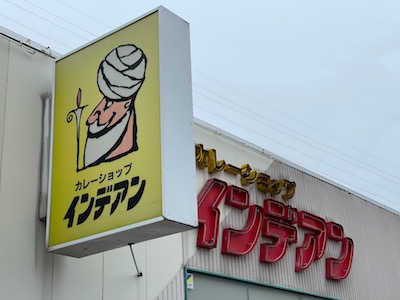
久し振りにインデアン音更店に行った。
take outしてもらって、カレーはよく食している。
今回カレー部CEOが不在のため、
連絡係&使いっぱしりが、一肌脱ぐことにした。笑
知らないバイトさんが結構いた。
ってか、ほぼわからなくなっている。
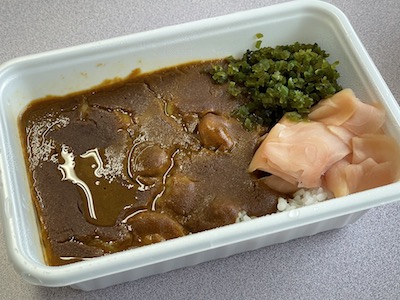
今回はエビカレーにした。
極辛3倍はいつも通り。
緑ピンクもいつも通り。
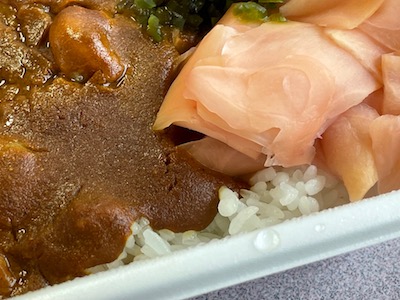
ライス小は最近マイブーム。
この前、他の部員が一部、ライス小だけど
違うのではないかと思ったようだった。
(23年10月30日の日記「比べる〜上乗せシリーズその31(インデアン音更店)」参照。)
が、やはり今回もいつものライス小だろうと思った。
このあたりの感覚や実感って人それぞれで面白く、難しい。笑
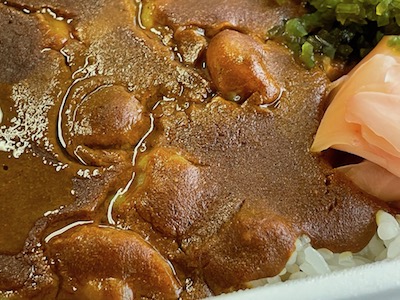
エビがぷりぷりと見えていて、
食すとそのプリプリさをますます感じる。
辛さもしっかりとしている。
うん、満足。
あざっす!あざっす!あざっす!
I went to Indian Otofuke branch long time no going. Ordinarily our curry club CEO had been there. This time I went there. About ten curries were taken out. I ordered shrimp curry with hotness gokukara 3 times and rice small. It was good, too, today. Thanks a lot.
インデアン音更店
音更町木野大通東16丁目1
0155-30-2139
http://www.fujimori-kk.co.jp/
10:00-21:00
無休
参考:乙華麗様です!第5回
可愛い女の子に教えてもらった情報(木野の森珈琲店)
可愛い女の子に教えてもらった情報を思い出し、
今回やっと修行へ行く。
そう、教えてもらったのは、忘れもしない、
程々前になる。(忘れとるやないけー!)
メモはしているので、いつかは行く運命だった。笑
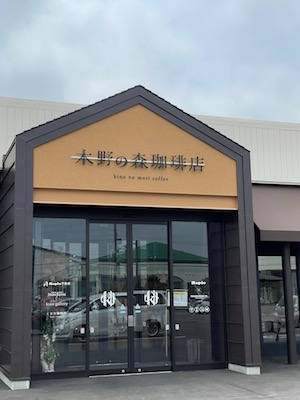
木野の森珈琲店に行った。
かなり混んでいると噂だったので、
早めランチにした。
すると早すぎた。笑
ランチタイムの30分ほど前に入ってしまったのだ。
可愛い女の子が教えてくれたものを修行するときが遂に来た。
満を持しての登場。
と言えばかっこいいが、実際は近くまで来たから。笑
(あ、バラしちゃった)笑
教えてくれた可愛い女の子に感謝。
あざっす!あざっす!あざっす!
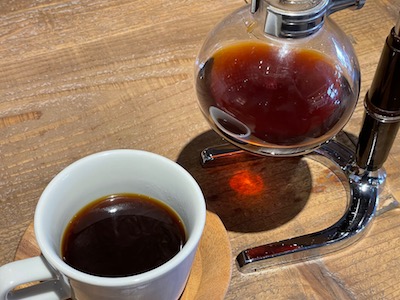
エチオピア・ストロベリーモカを飲んでゆったりとする。
こういうポット(というのか?)に出てくるのは初めての経験。
温かい状態で、結構な量を飲めて、幸せ。
広々として過ごしやすい。
ただ、札幌で幾つか入った森彦とは違う感じだった。
そう、森彦系列は、各店舗コンセプトが違っていて、
それぞれがオシャレで面白い。
少し早くついてカフェタイムだったが、
その時点で聞いたところ、即答で
ランチタイムの食事オーダーしてもいいとのこと。
対応も明るくハキハキして気持ちが良かった。
あざっす!あざっす!あざっす!
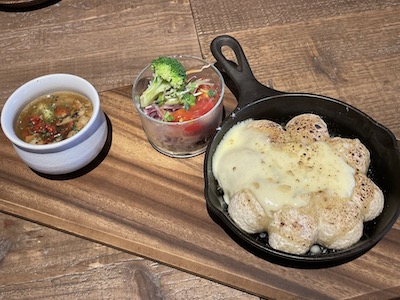
ピッツァ・ビーフカレーMAXセット
MIXセットではない。
ビーフカレーMAXというカレーのセットということだ。
もっと厳密に言うと、何種類かあるピッツァのうち、
ビーフカレーMAXで、そのセットということだ。
(説明がくどい・・・・笑)
で、セットだから、ピッツァ以外にもある。
サラダとスープだった。
サラダ好きなので嬉しい。
スープもあっさりしていて飲みやすく好みだった。
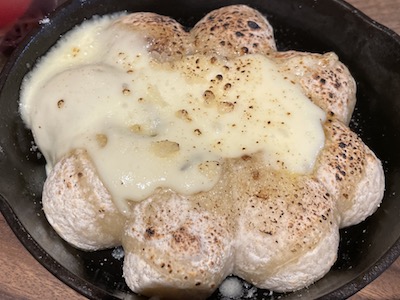
ピッツァは生地がふかふかのパンのよう。
ポンデリングのようにドーナツ状になっている。
サイズはポンデリングより圧倒的にでかい。笑
面白い食感のピッツァ。
パンとの中間のイメージ。
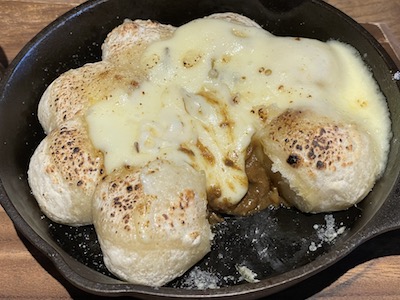
カレーはドーナツ状の中の空間部分にあった。
それがビーフカレーMAXで、
そのカレー自体はHAPIOで売っているという。
木野農協絡みだけあって、カフェとスーパーが連動している。
メニューに、HAPIOで買えるものは書いてくれているのだ。
チーズがかかっていることで、一瞬見た目はカレーがわからないが、
匂いがばっちりカレーで、食すとこのように出てくるのでわかる。
今回も素敵な修行となった。
あざっす!あざっす!あざっす!
I went to Kino no Mori Coffee branch with my wife. It was in the morning and the cafe time. But kindly stuff allowed me to order meals, too. We ordered drinks and foods. I drank a pot of coffee. This was the first time to see the pot. My wife drank a pot of tea. She was the second time here. She had been here with her mother. Then I ate pizza beef curry MAX set which was pizza beef curry MAX, salad and soup. My wife ate seasonary cocot soup and grilled corn set. There was beef curry MAX in the center of pizza which shape was an original one like pon de ring. And the cheese was on it. It was good. We were satisfied. Thank you veru much.
木野の森珈琲店
音更町木野大通西6丁目1
0155-65-0640
https://kinonomori-cafe.com/
10:00-20:00 (LO food19:00, drink19:30)
年末年始休み
我も我もと
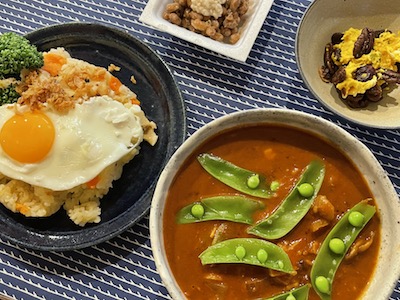
本日の夕食も豪華にいただく。
7月11日は、某コンビニの日なのかもしれないが、
そこには行かなかった。
昨日は7月10日で納豆の日。
納豆は食べたが、カレーを食さなかった。
だから、納豆カレーとか、カレーに納豆トッピングとか、
そういう話題が納豆の日にない。笑
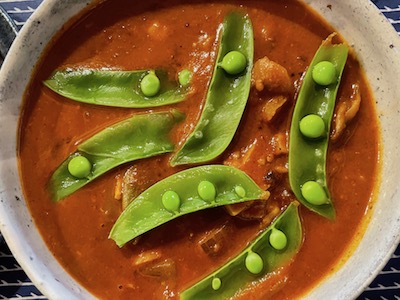
スパイスカレーはスナップエンドウが目立つ。
仕事の疲れも、人間関係の疲れも一層してくれる程に美味しい。
こういう書き方をするが、実際は時間が経つと
大したことなかったと思えることがほとんどだ。
だが、大切な人を傷つけるのは許さない。
と、仰々しく書いたが、抽象的に書くからそうなってしまう。
とはいえ、具体的には書けない。笑
個人情報とか絡むのでね。
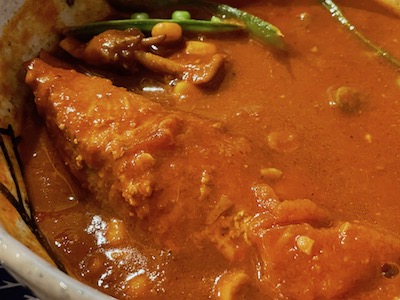
主役は俺だと言わんばかりに鮭が出てきた。
(正確には掘り起こした)笑
野菜と鮭。
どちらもスパイスカレーに合う。
(ルーカレーにも、スープカレーにも合うのだが)笑
うん、美味しいスパイスカレー。
今日1日の疲れを癒やす素敵なカレーだった。
あざっす!あざっす!あざっす!
Yesterday was the day of Natto. But I didn’t eat natto curry. I ate natto. No curry yesterday. So I didn’t write this blog. Today I ate natto as one of dinner. The main dish was Spice Curry. There were some side dishes and one of them was natto. A good cooker made them all. Thank you very much.
本格的うどんのカレーうどんを使ったカレーうどん鍋
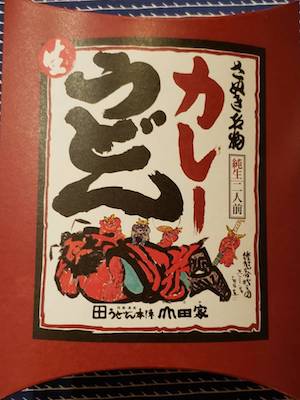
友達が香川・・・あ、いや、うどん県に行ってきたと。
どうやら出張のようだった。
で、お土産をくれた。
山田家のカレーうどんだ。
ありがたい。
これ美味しいに決まってるやつだ。
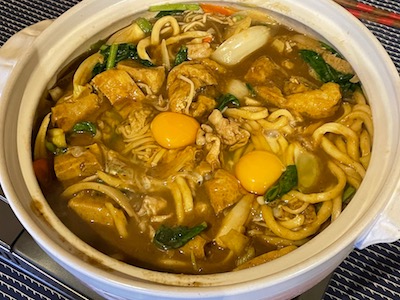
鍋にしちゃうことにした。
カレーうどん鍋だ。
うどんは鍋のシメになることもあるが、
今回は最初からメインの具の一つとして入れてしまう。
そうすることで、野菜をしっかり摂れるし、
この寒い冬、体が温まる。
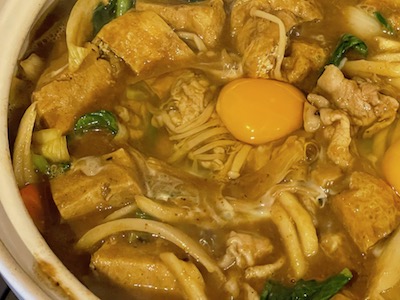
一瞬、味噌煮込みうどん?と思ってしまった自分が情けない。笑
カレーうどん鍋だ。
人参、玉葱などカレーには定番の具もあれば、
揚げや麩、ほうれん草など、鍋でありがちな具もある。
そして、好きな玉子は生をポトリと。
このカレーうどんのカレー出汁美味しい。
前に山田家って行ったことあると思うのだが、
その時カレーうどんを食したかは忘れた。
でも、うどんが美味しかったという記憶。
(間違ってなければ)笑
汗をかきながら、ズルズルいただいた。
友達に感謝だ。
あざっす!あざっす!あざっす!
I ate curry udon nabe for dinner. Its curry udon was a gift from my friend. It was bought in Udon prefecture. It should be good, of course I know. My wife put som vegetables in it. It was a very healthy and delicious curry nabe. Thank you very much.
参考サイト
山田家